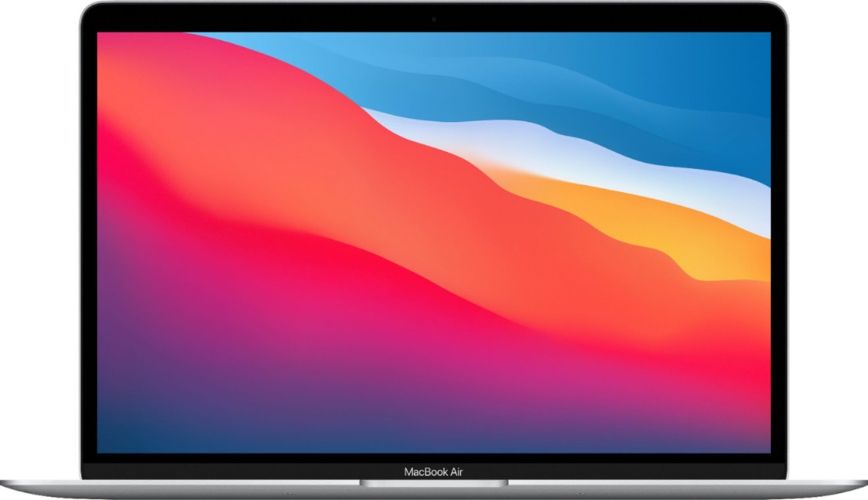
The MacBook Air is the Mac that suits most people most of the time: light, silent, quick enough for everything short of sustained heavy work, and easy to carry all day. It is also the Mac where buying refurbished makes the most sense, because a well-chosen Air from a previous generation does nearly everything the current one does. This guide walks through the decisions in order — chip, memory and storage, size, condition grade — and finishes with the checks to run the day your machine arrives.
Should you buy a refurbished MacBook Air in NZ?
The Air formula has always been a deliberate trade: thin and fanless, so it stays silent and cool, but it gives up sustained performance to get there. For study, home and office work, browsing, streaming, photo editing and pretty much anything that is not a continuous heavy grind, that trade lands in your favour. A refurbished Air arrives tested and graded in Auckland, with a 12-month warranty, 15-day returns and free NZ-wide delivery, so the main risk compared with buying new is price, not reliability.
Two honest caveats before you start browsing the MacBook collection. First, "refurbished MacBook Air" spans several generations that are not equivalent machines — the jump from Intel to Apple silicon matters more than any cosmetic detail, and it is the one decision you cannot undo later. Second, if your workload is long video exports, virtual machines or compiling large projects, an Air will throttle where a Pro would not. Skip to the last section of this guide if that sounds like you.
Everyone else — students, families, commuters, anyone who types on a lap or a cafe table — an Air is very likely the right machine.
Intel or Apple silicon: which chip should you choose?
This is the decision that shapes everything else, because it determines how fast the machine ages. The full generation-by-generation comparison across the MacBook line is in Which MacBook Year to Buy: Intel, M1 and M2 Compared; here is the short version for Air buyers.
- Intel Airs (2017 to 2020) are the most affordable way into macOS, and genuinely fine for email, browsing, documents and streaming. But they are the oldest designs, they run noticeably warmer under load, and third-party software follows the newer platform first. Before buying one, check which macOS versions your exact model supports on Apple's support site and decide honestly how many years of app updates you need.
- The M1 Air was the model that made Apple silicon mainstream, and it remains the value pick of the refurbished market: strong everyday speed, dramatically better battery life and thermals than any Intel Air, and a platform Apple still builds on. For most budgets this is the sweet spot, and the price gap between Intel and M1 machines has narrowed until the older chip rarely wins.
- M2 and M3 Airs brought a redesign: a slightly larger screen, MagSafe charging alongside USB-C, higher memory options and a bigger sibling size. They cost more, and for pure day-to-day work an M1 still feels fast, so pay the difference only for the specific extras you want.
If your budget reaches Apple silicon at all, buy Apple silicon.
How much storage and memory does a MacBook Air need?
Neither can be changed after you buy. On every Air, the memory and the drive are soldered down — what you order is what you are stuck with for the life of the machine, so this is the place to spend a little forethought instead of a little money.
For memory, the practical line is this. 8GB runs browsing, streaming, documents and light photo work comfortably, and is workable for a student in a non-design field. 16GB is the one worth hunting for if you are a design or development student, you keep enormous browser sessions alive, or you simply plan to keep the machine for several years — it is the difference between light swapping and heavy swapping once a few demanding apps share the machine. On M1 models especially, a 16GB spec is the single best upgrade to look for in the refurbished listings.
For storage, 256GB is genuinely workable if your documents, photos and backups live in the cloud and you install only a handful of apps. 512GB earns its keep the moment you keep a photo library, video clips or project files local — a phone photo library synced to a Mac can eat a third of a 256GB drive on its own. If the price gap between two machines is small and you are torn, take the larger spec; storage is the one regret people voice most often afterwards.
Is the 13-inch or the 15-inch MacBook Air the better buy?
Every Intel and M1 Air is a 13-inch machine; Apple added the larger 15-inch model with the M2 generation and kept it through M3. The 13-inch disappears into a backpack and works on a tray table, which is the whole point of portability. The 15-inch gives you a true two-window workspace and fuller speakers without an external monitor, for a modest increase in weight. There is no universal answer — the question is really how far and how often you carry the laptop. If it lives on a desk and opens twice a week at the most, the bigger screen is a comfort you will use every day. If you commute, tour campuses or work in three rooms a day, the 13-inch stays the default. Both sizes appear in the collection listing with their specs, so it is easy to compare what is actually in stock.
Which condition grade should you accept?
Every refurbished device we sell carries a cosmetic grade, and the key thing to understand is that grades describe appearance only, never function — every machine is tested in Auckland before it is graded, and a Good unit does the same work as a Like New one. The visible difference is real but shallow: a Good machine may carry light scuffs or a small dent that stays out of sight under normal use, while Very Good and Like New machines look close to straight-off-the-shelf. So grade should follow where the machine will live. If it rides in a backpack and sits behind an external keyboard at a desk, the lower grade is smart money. If it is a gift, or it stands open on a desk in client meetings, the small premium for the better grade buys you the peace of mind you are really paying for. The grades are spelled out in What Do "Good", "Very Good" and "Like New" Actually Mean? and summarised on the condition guide.
What should you check when your Air arrives?
Refurbished buys you value, and a few minutes of checking on day one makes sure it is also a good experience.
- Open System Information and look under Power for the battery cycle count and condition. A low cycle count means the battery still holds long unplugged sessions; this is the number that predicts daily life with the machine more than any other.
- Confirm the model identifier — an A-number printed under the base — matches the listing. Our MacBook model-number guide maps the common A-numbers to their models, so you know exactly which machine you own.
- Enter the serial number at Apple's coverage check to confirm the unit is a genuine registered Mac and see its coverage status.
- Work through the basics while you still have the packaging out: the keyboard and trackpad, the webcam and microphones, the speakers, the Wi-Fi, and both Thunderbolt ports.
- Keep the box and the paperwork close for the first two weeks. The 15-day returns window exists for exactly this kind of settling-in period, and beyond it you keep your consumer rights under New Zealand law like you would with any purchase.
When the Air is humming along, the old machine you replaced it with is probably still good for something too — the trade-in page gives you a quote on it in a few questions.
When does a MacBook Pro make more sense than an Air?
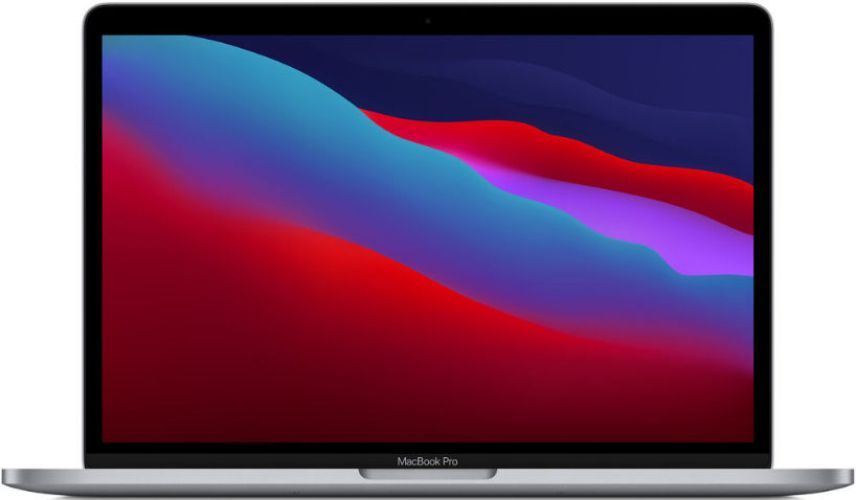
The cooling fan is the honest dividing line. Run a video export, a large build or a virtual machine for an hour and the fanless Air will ease its clocks down, while a MacBook Pro holds full speed; the Pro also carries more ports and a brighter screen as standard. If sustained heavy work is your normal week, a Pro is the tool for it, and our refurbished MacBook Pro guide covers choosing its size and chip. If that work is occasional rather than daily, the lighter, quieter Air at a lower price is the better companion — which is, in the end, why the Air is the Mac most people should be buying.