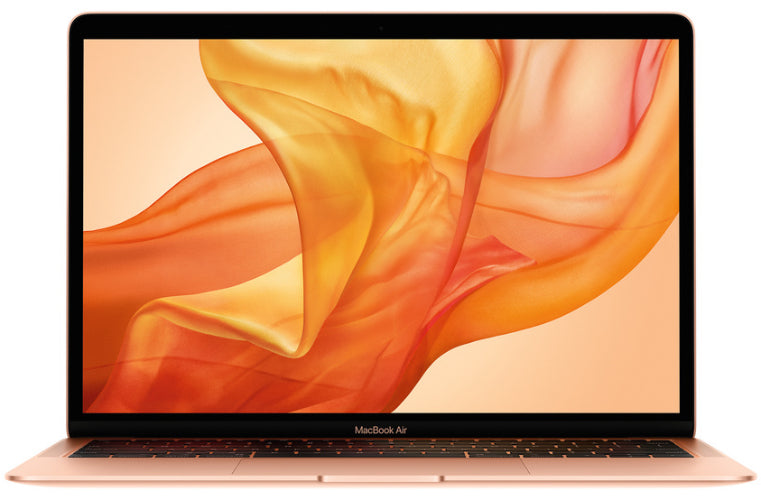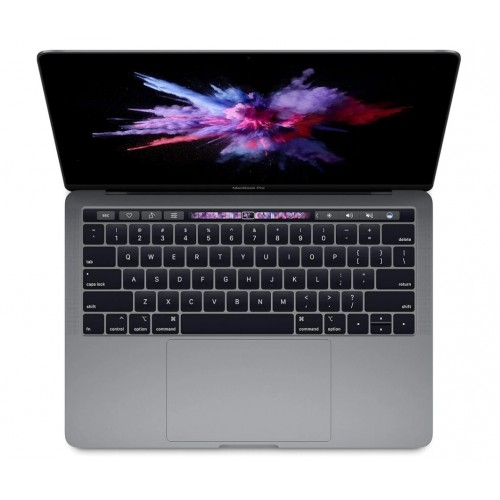
Should you buy a refurbished MacBook Pro instead of a MacBook Air?
For a lot of buyers the honest answer is no, and that is worth saying out loud before you talk yourself into the bigger badge. A MacBook Air from the same chip era does the things most people actually do, browsing, documents, streaming, video calls, at the same everyday speed, and it does it in a lighter body for less money. If you have not already decided that the Air cannot do your job, our Air versus Pro comparison is the quicker read.
The Pro earns its keep when the workload leans on the machine hard and for long stretches. Three differences matter:
- A cooling fan. The Air is fanless, so it slows itself down when a job runs hot and long. On a Pro, a long video export, a big code build or a simulation keeps running at full speed instead of fading.
- More ports and better innards. Pros have carried more and faster ports than the Air, along with stronger speakers and, on current designs, a larger battery.
- A better screen on post-2021 models. The redesigned Pros added a brighter display with a smoother refresh rate, which you notice in scrolling and video editing far more than on paper.
So a decision rule worth keeping: if your day is browser, email, office files and a bit of photo editing, buy the Air and pocket the difference. If your day includes exporting, compiling, mixing, engineering software or virtual machines, the Pro is the machine you should be comparing prices between on the MacBook collection, where you can see current prices on the model pages.
13, 14 or 16-inch: which MacBook Pro size fits how you work?
Three design generations share the refurbished market at the same time, so size and body style tell you more about what you are getting than any spec sheet line.
The 13-inch bodies, including the Touch Bar models and the last 13-inch machine of 2022, are the lightest Pros and the ones you forget you are carrying. The trade-offs are real: fewer ports, a smaller speaker system, and a chassis that warms up sooner under a long job. They suit buyers whose laptop lives in a bag and whose work is light.
The 14-inch is the redesign that started in 2021, and it is the best balance in the range. That body brought back MagSafe charging, HDMI and an SD card slot, gave the screen its brightness and refresh-rate upgrade, and left room for the cooling to actually work. If you want one answer for study, work and occasional creative projects, this is the size to start from.
The 16-inch, which replaced the old 15-inch, is the desk-anchored choice: the biggest screen and the biggest battery in the lineup, and the heaviest thing you will happily carry. The weight is the whole argument against it; if you rarely move, it is an argument that costs you nothing.
One warning applies to every size: on the vast majority of these machines the memory and storage are soldered down, so what the listing says is what the machine will be forever. Buy for the workload you expect next year, not last year.
Which MacBook Pro chip generation should you aim for?
The first fork is the big one: Intel or Apple silicon. It decides heat, noise, battery life and whether the machine can boot Windows on its own. Our MacBook year guide covers that fork properly, so this section assumes you are shopping Apple silicon and asks the smaller question: how much chip do you need?
Base M-series chips, in the smaller bodies, are genuinely enough for most buyers. They are not the compromised chips their entry-level label suggests; the machine that feels slow after three years is nearly always short on memory, not on chip. The Pro and Max variants of each generation add graphics muscle and memory bandwidth for video editors, 3D work, large code projects and engineering suites. If you are in one of those fields, the chip tier is the spec to protect when the budget is tight, and you can trade down on storage and recover it later with an external drive.
Two more things are worth more than the newest chip: memory and body generation. Sixteen gigabytes over eight is the single biggest quality-of-life upgrade for anyone who keeps a lot open at once. And a 2021-or-newer redesigned body with MagSafe, HDMI and the better screen will be enjoyed every single day, while the difference between two adjacent chip generations will only show up in the heaviest minutes of your week. A slightly older machine, spec'd up, is usually the wiser buy than a slightly newer one at base spec.
Apple keeps the current lineup and full spec comparisons on apple.com, which is the place to check how any candidate you find compares to what Apple sells today.
What should you check before buying a used MacBook Pro?
MacBook Pros are the Macs people work on, which means the used market is full of machines with honest wear. A short walkthrough sorts the good listings from the tired ones.
Pin down the exact model. Year labels in listings get sloppy. The reliable identifiers are the model line in About This Mac and the A-number printed on the underside; our model numbers guide maps those numbers to the machine each one belongs to.
Read the battery's story, not just its percentage. System Report's Power section shows the cycle count, and a well-used workhorse will have a high one for its age. A tired battery is a budgeted-for replacement rather than a walk-away, since battery service is on the menu at our repairs page, but it changes what a fair deal looks like.
Test the daily-touch parts. Keyboard key by key, the trackpad across its whole surface, the screen on a plain background for spots, every port with a cable. The second-hand laptop checklist is written for exactly this moment.
Understand the cosmetic grade you are buying. Grades describe the body, not the behaviour of the machine; here every machine, whatever its grade, is tested and graded in Auckland before it goes on sale, and the condition guide spells out what each grade actually means.
Know what comes with it. Ours ship with a 12-month warranty and free NZ-wide delivery, and the 15-day returns exist for the case where the machine arrives and simply does not feel right.
If an older Mac is waiting in a drawer, putting it through trade-in can put its value toward the new machine. And if the comparison in your head is still Mac versus Windows rather than Pro versus Air, browse the wider laptop range before you commit either way.