What is the A-number on a MacBook?
Every MacBook carries a short code that starts with a capital A followed by four digits — A2159, A2337, A2338 and so on. Apple uses it as the regulatory model number, and it is far more precise than a marketing name like "13-inch MacBook Pro". Apple sold several different 13-inch MacBook Pro machines in the same two-year stretch, with different chips and different numbers of ports, so the marketing name on its own does not tell you which one you are looking at. The A-number does.
That matters most when you are shopping second-hand. Listings on auction sites, in classifieds and on repair invoices often quote the A-number because it removes the ambiguity. If you know that the machine in front of you is an A2159 rather than an A2251, you know the year, the chip family and how many ports you get, before you ask a single question.
There is a second identifier that people sometimes confuse with the A-number: a string like MacBookPro16,2 or Mac14,2. That is the model identifier the operating system reports, and it is a different numbering scheme with a different purpose. Both are useful, but when someone asks "what A-number is it?" they mean the one printed on the case.
Where do I find the model number on my MacBook?
Close the lid and turn the laptop over. Along the bottom edge nearest the hinge you will see a block of small grey text with certification marks. The line you want reads "Model A2159" or similar. The serial number sits in the same block.
If the text has worn off — which happens on machines that have lived in a bag for years — you can work backwards from software instead. Open the Apple menu and choose About This Mac. That gives you the marketing name and year, for example "MacBook Pro (13-inch, 2019, Two Thunderbolt 3 ports)". Apple publishes tables that map every one of those names to its A-number, both for MacBook Air and for MacBook Pro. Cross-reference and you have your answer.
When you buy from us, you do not have to squint at the underside yourself. Every machine is tested and graded in Auckland before it is listed, and the model details on the listing come from the machine in hand.
MacBook Air model numbers: A1932, A2179, A2337 and A2681
The Air line is the simpler of the two to decode, because Apple kept one screen size for years.
- A1932 — MacBook Air (Retina, 13-inch, 2018 and 2019). The first Air with a Retina display and Touch ID. Intel, dual-core, two Thunderbolt 3 ports.
- A2179 — MacBook Air (Retina, 13-inch, 2020). Still Intel, but this is the model that brought back the scissor-switch Magic Keyboard after the butterfly keyboard years.
- A2337 — MacBook Air (M1, 2020). The first Apple silicon Air, fanless and silent. This is the one most people mean when they say "M1 Air", and it is still the sweet spot for study and everyday work.
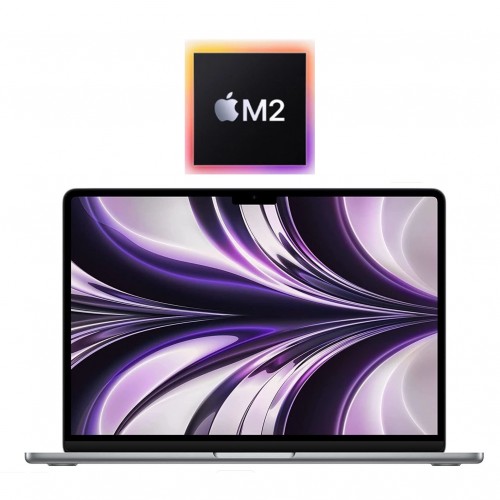
- A2681 — MacBook Air (M2, 13-inch, 2022). The redesigned flat-sided body with MagSafe charging back on board.
The jump from A2179 to A2337 is the important one. They look almost identical from the outside and were sold in the same year, but one is Intel and one is Apple silicon. Battery life and quietness are noticeably different. If a listing just says "MacBook Air 2020", the A-number tells you which of the two you are being offered.
MacBook Pro model numbers: A1989, A2159, A2251, A2289 and A2338
The 13-inch Pro line is where the confusion really lives, because Apple ran two tiers side by side — a two-port version and a four-port version — and refreshed them at different times.
- A1989 — MacBook Pro (13-inch, 2018 and 2019), four Thunderbolt 3 ports. Intel, quad-core.
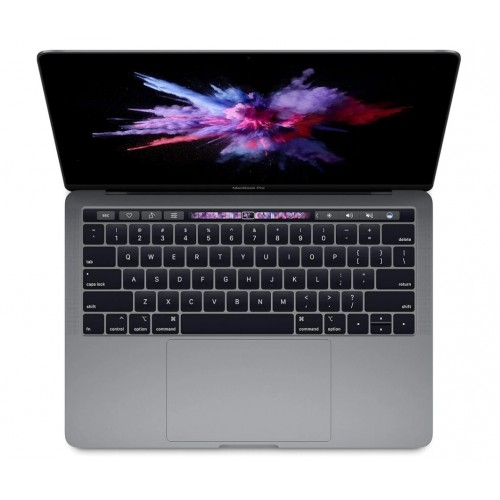
- A2159 — MacBook Pro (13-inch, 2019), two Thunderbolt 3 ports. Intel, with a Touch Bar. This is the entry model of its year, and the most commonly searched A-number of the group.
- A2251 — MacBook Pro (13-inch, 2020), four Thunderbolt 3 ports. Intel, with the Magic Keyboard.
- A2289 — MacBook Pro (13-inch, 2020), two Thunderbolt 3 ports. Intel, also with the Magic Keyboard.
- A2338 — MacBook Pro (13-inch) with Apple silicon.
Above 13 inches, the numbers you will run into most often are A1990 (15-inch, 2018 and 2019), A2141 (16-inch, 2019), and then the redesigned Apple silicon pair: A2442 (14-inch, 2021) and A2485 (16-inch, 2021), which reintroduced HDMI, an SD card slot and MagSafe.
Why does one A-number cover two different MacBooks?
A2338 is the classic example. Apple used it for the 13-inch MacBook Pro with the M1 chip in 2020, and then reused it for the 13-inch MacBook Pro with the M2 chip in 2022. The chassis, the ports and the certifications did not change, so the regulatory number stayed the same.
This is the one case where the A-number alone is not enough. If you are looking at an A2338, ask which chip it has, or check About This Mac on the machine. The M2 version is faster and was usually sold with more storage options, and the two are worth different amounts on the used market.
The lesson generalises: treat the A-number as the first filter, not the last word. It narrows you down to one or two possibilities almost instantly, and then one extra question closes the gap.
How do I use the model number when buying refurbished?
Start by deciding what you actually need — screen size, chip generation, port layout — and then translate that into the A-numbers that match. Our refurbished MacBook buying guide walks through the Air versus Pro decision if you are not sure which side of the line you sit on.
Once you have your shortlist, browse the current MacBook range or the wider laptop range and match the listing against your A-numbers. Prices move with stock, so see current prices on the model page rather than relying on a figure you saw somewhere else.
Three other things worth knowing before you order:
- Condition is graded, not guessed. Our condition guide explains exactly what each grade means in terms of visible marks, so you can decide how much cosmetic wear you are comfortable with.
- Every order includes a 12-month warranty, plus 15-day returns and free NZ-wide delivery anywhere in the country.
- Your old machine may be worth something. If you are replacing an older MacBook, check what it is worth through trade-in — and having the A-number to hand makes that quote faster and more accurate.
Knowing your A-number turns a vague search into a precise one. It is four digits on the underside of a laptop, and it is the difference between hoping a listing matches and knowing it does.