What do the numbers in a Galaxy A name actually mean?
Search "a57" or "a37" and you land on spec sheets that assume you already know where those phones sit in Samsung's range. You do not need to memorise a chart. Since 2019 the Galaxy A family has used one consistent two-digit code, and once you can read it you can place almost any A-series phone in a few seconds.
The first digit is the tier — roughly how much phone you are getting. A0-something is the entry level. The numbers climb through the lower-middle and middle of the range. A5-something is the top of the A family, sitting just underneath the Galaxy S flagships.
The second digit is the generation. It ticks up by one each time Samsung refreshes that tier. An A36 is the generation after the A35. An A57 is the generation after the A56. An A07 is the generation after the A06.
Read together:
- A07 — entry tier, seventh generation of it
- A26 — second tier up, sixth generation
- A36 — mid tier, sixth generation
- A57 — top of the A range, seventh generation
That is also why two A-series phones can feel nothing alike. An A07 and an A57 share a letter and very little else. The letter tells you it is a mid-range Samsung; the first digit tells you which end of the mid-range.
One thing to watch: suffixes like FE, Plus and Ultra belong to the Galaxy S line, not the A line. If you see those words, you are looking at a flagship, not an A-series phone.
Which digit matters more when you compare two phones?
Usually the tier digit. If you are weighing up an A36 against an A26, the first digit is telling you the A36 sits a step higher in the range — which normally shows up in the screen, the main camera and how comfortably the phone handles a dozen apps at once. A single generation gap within the same tier is a smaller jump than a tier gap.
That flips when the generation gap gets wide. A current mid-tier phone against a much older one from a higher tier is a genuine toss-up, and it comes down to the specs that matter to you rather than the name. Two things are worth looking up on the Samsung NZ site before you commit:
- The spec sheet for the exact model number — screen size and refresh rate, chipset, camera setup, charging speed.
- The software support window Samsung publishes for that model. Older phones have less of it left. Samsung lists this per model, so read it there rather than trusting a rule of thumb.
Neither of those depends on price, which is the point: sort out which model you want first, then see current prices on the model page.
Where do 5G, storage and RAM labels fit in?
A full listing title often looks like "Galaxy A57 5G 256GB". The code identifies the model; everything after it describes the variant.
5G is a network label. Several entry and lower-mid tiers were sold in both 4G and 5G versions in the same generation, so the label is worth reading rather than assuming. If you are on a plan that uses 5G, make sure the listing actually says so — the model page will spell out which variant is in stock.
Storage is the figure in GB, typically 128GB or 256GB on recent A-series phones. A-series models sometimes keep a microSD slot, but not always, and that is model-specific — check the spec sheet. If you shoot a lot of video or keep years of photos on the device, pay more attention to storage than to the generation digit.
RAM occasionally appears too, as in "8GB 256GB". It matters less than the tier digit for everyday use, but between two otherwise identical variants, more is better.
Which Galaxy A makes sense second-hand in NZ?
Work out the tier from what you actually do with the phone, then take the newest generation of that tier you can get.
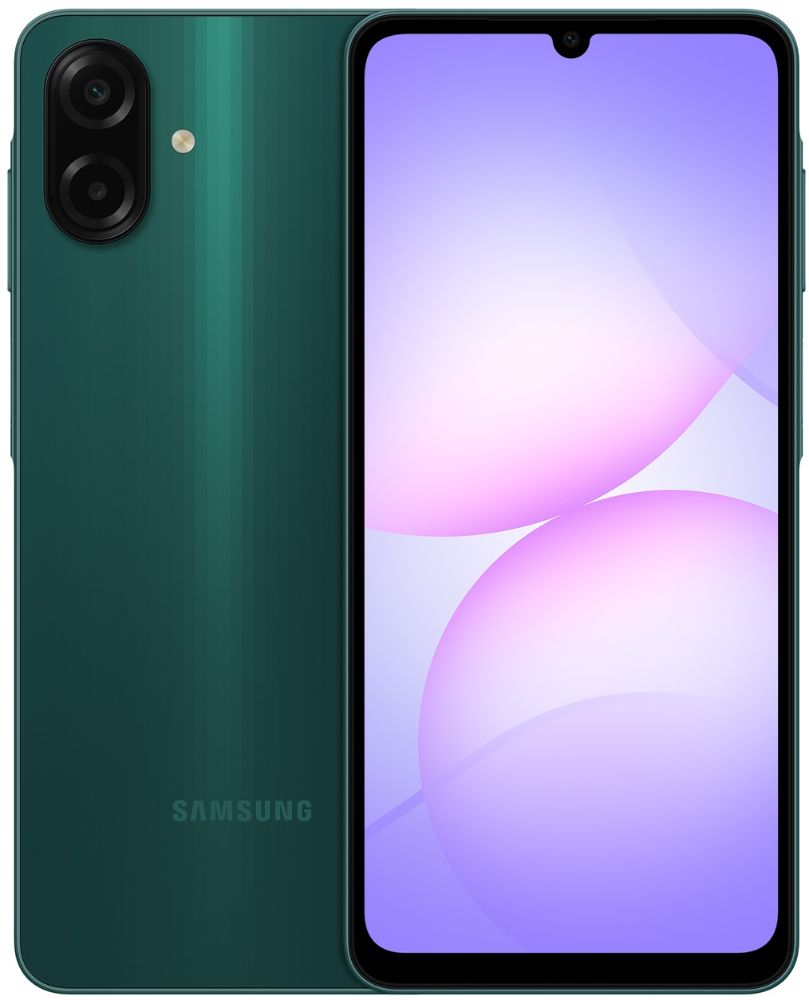
- Entry tier (A0-something, A1-something) — calls, messaging, maps, a bit of video. A sensible first phone for a kid, or a backup device. The Galaxy A07 is the current shape of this tier.
- Lower-middle (A2-something) — the sweet spot for most people. Decent screen, camera that holds up in daylight, enough headroom for social apps and banking. See the Galaxy A26.
- Middle (A3-something) — a step up in screen and camera, and the tier to look at if you keep a phone for several years. The Galaxy A36 and Galaxy A37 sit here.
- Top of the A range (A5-something) — closest to a flagship experience without flagship outlay, like the Galaxy A57.
Buying one generation back is where refurbished A-series phones do their best work. The gap between consecutive generations of the same tier is usually modest, while the gap in what you pay is not. Our full list of what is in stock lives at refurbished Samsung, and you can compare it against the wider smartphones range.
What should you check on a used Galaxy A before you buy?
Four things, in order of how often they bite people:
Battery. Android phones do not surface battery health as plainly as iPhones do, so you are relying on the seller to tell you. Every phone we sell holds at least 80% of its original capacity, and listings are grouped by 80%, 90% or 100% battery health so you know what you are choosing.
Condition. Grades describe cosmetics, not function. Our condition guide explains exactly what each grade allows in terms of marks and scuffs.
Network compatibility. Confirm the variant matches the bands your carrier uses, which is the other reason the 5G label in the title matters.
Accounts and locks. A phone still tied to someone's Samsung or Google account is a phone you cannot use. Our checklist for buying a second-hand phone in NZ walks through how to verify this, and it applies whether you buy from us or privately.
Everything we list is tested and graded in Auckland before it goes up, comes with a 12-month warranty and free NZ-wide delivery, and is covered by 15-day returns if you change your mind. If you are moving on from an older Galaxy, you can get a quote through trade-in — and if your current one just needs a screen or battery, repairs may be the cheaper path. Anything else, our FAQ covers it.