A MacBook that has been sitting in a drawer is worth something to someone else — and turning it into credit toward your next machine is one of the most affordable ways to upgrade. Trade-in is not a black box, though: the value of your MacBook follows a short list of factors you can see and act on before you ever ask for a quote. This guide walks through what sets that number, how condition moves it, and what to do with the machine before it leaves your hands.
What Actually Sets the Trade-In Value of a MacBook?
Every trade-in programme and resale buyer prices a used MacBook the same way in the end: what the machine will resell for, minus the cost of checking, refurbishing and re-listing it. So anything that makes the machine easier to resell lifts your value, and anything that makes it harder pushes the number down. Four factors matter more than the rest.
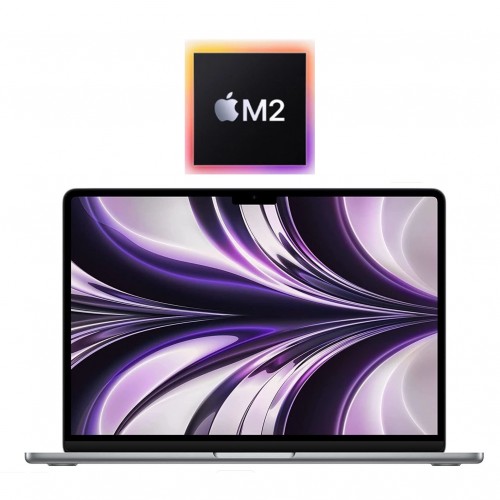
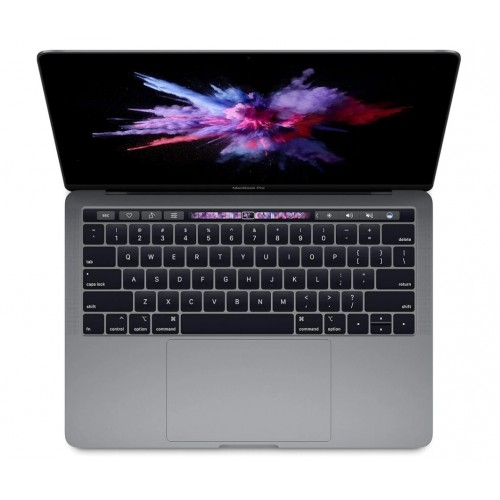
Model and chip generation. This is the single biggest factor. Apple Silicon MacBooks — the M-series machines — hold demand far better than the Intel models that came before them, because they run faster, run cooler and are deeper into their years of macOS support. An Intel-era MacBook Air or Pro is still tradeable; plenty of buyers want a cheap machine for study or browsing. But it prices on a much lower band than an M1 or M2 machine of the same age.
Storage and memory. Higher configurations resell for more, and the gap is real: a 512GB machine typically carries a visible premium over a base 256GB model of the same year. Bigger RAM fits are worth more too, though their effect is less predictable than storage, because most buyers never check the memory spec.
Screen size. Larger models trade with stronger demand when supply is thin — the bigger Pro sizes are what a lot of buyers search for first, and scarce sizes hold their values best.
What the same machine costs to buy today. Trade-in tracks the used market, and the used market follows what the equivalent machine sells for while it is current. When Apple refreshes a lineup, older models ease back as stock grows. You can see current prices on the model page and across the MacBook collection.
How Much Does Condition Change the Offer?
Condition is where expectations and quotes most often disagree. The honest rule: cosmetic issues shave a little, functional issues shave a lot.
Cosmetic wear — scratches, dents, lid marks, key shine — moves the number in tiers rather than cliffs. This is exactly how machines we sell are graded, and the same logic runs backwards when a machine comes in: the grades and what counts as what are laid out in the condition guide.
Screen damage — a crack, a dead pixel or permanent pressure marks — costs more than a dent in a corner, because the display is the most expensive part to replace and the first thing a buyer looks at.
Battery. Recent macOS versions show the battery's maximum capacity and condition in System Settings under Battery, and System Information lists the cycle count. A battery that still holds a full day's charge protects the value; one that keeps the machine chained to a wall socket will pull the quote down. If your battery is tired, a battery service is often the single most value-restoring repair you can make — you can ask about one through our repairs page.
Function — charging ports, keyboard, trackpad, speakers, camera, Wi-Fi — behaves the same way: each fault is a reason a later buyer asks for a discount, so the trade-in price asks for it first.
One practical note: understate nothing. A quote given on a fault you did not mention will come back lower after inspection, and the gap between the first number and the final one is entirely predictable — it is the cost of fixing what you left out. Declaring faults honestly does not make your outcome worse; it makes it stable.
Should You Trade In a MacBook or Sell It Privately?
A private sale in NZ usually has a higher ceiling: you sell direct to an end buyer instead of to someone who has to check, recondition and re-list the machine. That ceiling comes with costs that are easy to underestimate:
- photos, listing copy, and replies to every lowball message;
- meeting strangers — often in a car park — to hand over a laptop;
- payment risk, and a buyer who suddenly reads the condition differently on the doorstep;
- time. A machine that sits unsold is earning nothing while it waits.
A trade-in is the opposite profile: one form, one box, and the machine is dealt with. The number lands below a lucky private sale and above the effort-adjusted value of an unlucky one. The decision comes down to how much your own time is worth and how confidently you can describe a used machine to buyers you have never met. We compare both routes in detail in Trade In or Sell Privately.
A rough rule for NZ: if the MacBook is older, carries a fault, or you simply want it handled this week, trade it in. If it is a near-new machine with the full kit and you enjoy a negotiation, a private listing can pay for your weekend — just price it against the hours.
What Should You Do to a MacBook Before Trading It In?
Prep takes about an hour and protects both the value and your data.
- Back it up. Time Machine to an external disk, or a cloud backup, before anything is erased.
- Sign out of iCloud and Messages. On macOS this happens in System Settings (System Preferences on older versions). Signing out releases Find My and stops Activation Lock from holding the machine hostage after it ships. The steps for your version are on Apple's support site.
- Erase and reset. Use the built-in erase option so the machine boots to the setup screen as if new — that is the state an inspector wants to see.
- Clean it. Clear the crumbs, wipe the display, clean the keys. Cleaning will not fix a dent, but it changes how the whole machine reads at first glance.
- Include the charger and box. A missing power adapter is one more thing a buyer has to replace, so if yours is still in the drawer, put it in the carton.
- Describe it accurately. Faults you declare cost less than faults that get discovered. Say exactly what is wrong, in plain words.
Then start the process on the trade-in page, and pack the machine so the lid and corners survive the courier — damage in transit can change what the inspection finds.
Is a Trade-In a Good Way to Move Onto a Refurbished MacBook?
Trade-in makes the most sense when it closes a loop: the old machine you no longer use pays part of the way toward one you will actually use. And the two sides of that loop are priced by the same market — the trade-in value of your current MacBook and the price of the refurbished replacement move with the same used-market numbers, so upgrading within the same family is usually a modest, predictable top-up rather than a shock.
A refurbished MacBook is not an unboxed gamble, either. Every unit we sell is tested and graded in Auckland, comes with a 12-month warranty and free NZ-wide delivery, and if it turns out to be the wrong fit you have 15-day returns on it. See what is in stock across the MacBook collection — see current prices on the model page — and check the wider laptop collection if Dell, Lenovo or HP might suit you better than a MacBook.
If you are unsure which generation to move up to, our guide to which MacBook year to buy puts Intel, M1 and M2 machines side by side, and the FAQ page covers the practical questions people ask before ordering.