What does a Dell model number like 5320 actually tell you?
Refurbished Dell listings are full of four-digit numbers — Latitude 5320, Latitude 5420, Latitude 7420, Inspiron 3510, Vostro 3500 — and for anyone comparing two machines side by side, the number is doing more work than the name. Dell follows a fairly consistent scheme: the range name tells you who the laptop was originally built for, and the digits tell you the tier it sat in, roughly how big the screen is, and how recent the design is. Once you can read the number, you can shortlist from a page of listings in a minute instead of opening every spec sheet in a separate tab.
That matters more when you are buying refurbished than when you are buying new, because refurbished stock spans several generations at once. On the same Dell range page you will often see three or four generations of the same body sitting next to each other, and the model number is the fastest way to tell them apart. Every machine we list is tested and graded in Auckland before it goes on the site, so the differences you are weighing up are design differences, not condition surprises.
Which Dell range is which?
- Latitude — the business range. These were sold to companies and government departments in fleets, so they prioritise a sturdy chassis, docking and port support, a keyboard that survives years of typing, and parts that a technician can actually replace. This is the range most people end up in when they want a refurbished Windows laptop for work.
- Inspiron — the consumer range, sold through retail. Usually a plainer plastic build and a simpler service design, but often a bigger screen for the same money. Fine for home and study use.
- Vostro — aimed at small businesses. It sits between Inspiron and Latitude: more practical than a home laptop, without the full fleet-management hardware of a Latitude.
- Precision — mobile workstations, built for engineering and creative software, with workstation-class graphics and more memory capacity than the rest of the line-up.
- XPS — Dell's premium consumer thin-and-light range, which shows up in refurbished stock less often than the business ranges.
In conclusion, pick the range first based on how the laptop will be used, then use the digits to narrow down within it. A mid-tier Latitude will usually feel better built than a top-tier Inspiron of the same age.
How do the four digits break down?
Inside the Latitude range, the four digits are readable left to right:
| Position | What it tells you | Example |
|---|---|---|
| First digit | Series tier: 3 entry, 5 mainstream, 7 premium thin, 9 flagship | 5320 sits in the 5000 series |
| Second digit | Screen size class: 3 for 13-inch, 4 for 14-inch, 5 for 15-inch | 5420 is a 14-inch machine |
| Last two digits | Design generation, stepping up with each refresh | 5430 is a newer generation than 5420 |
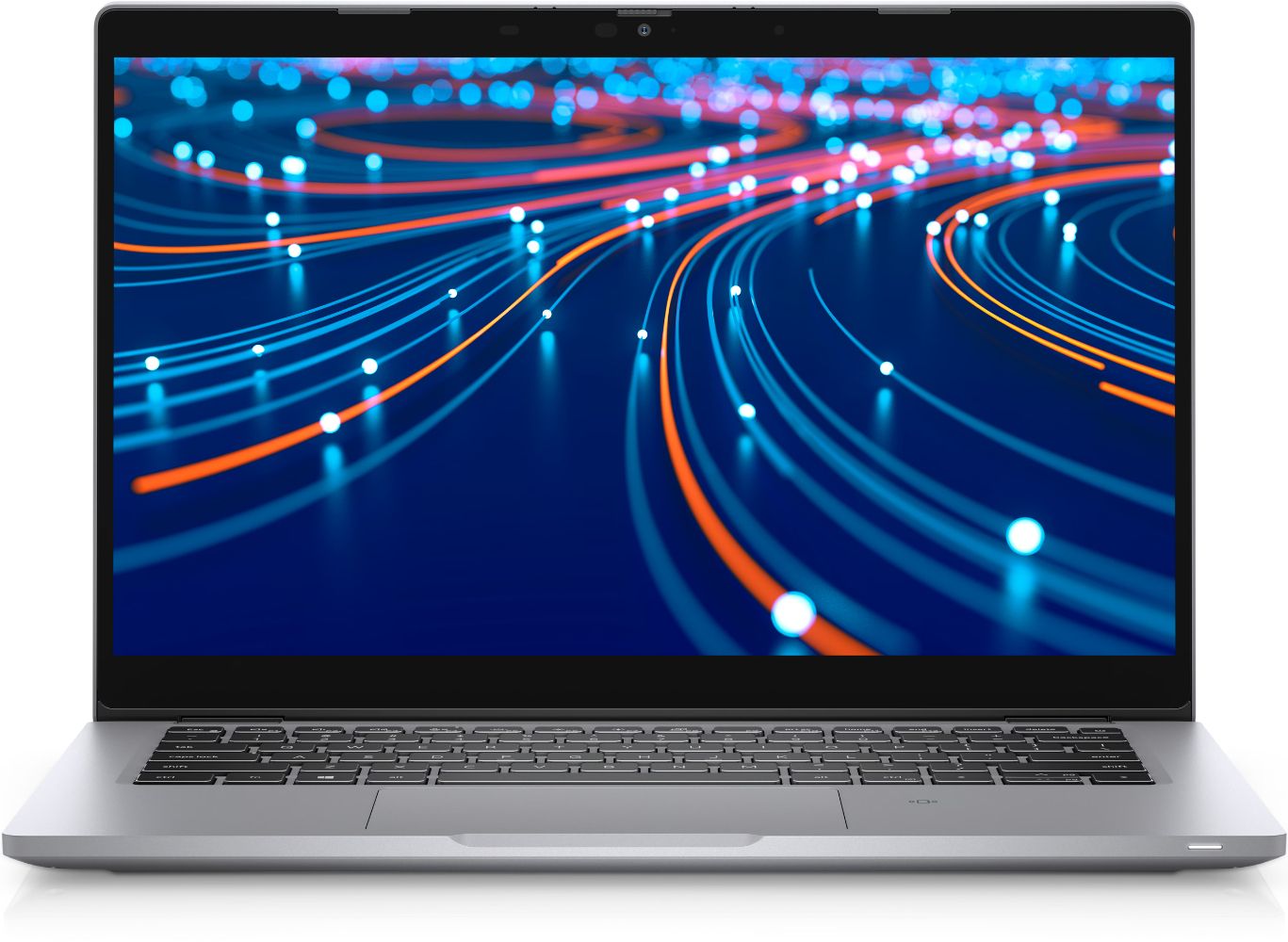
So a Latitude 5320 is a mainstream-tier 13-inch laptop, a Latitude 5420 is the 14-inch version of the same tier and generation, and a 5520 is the 15-inch one. Move the first digit up and you change tier rather than size: a Latitude 7420 is the premium 14-inch equivalent of the 5420, thinner and lighter with a better screen and chassis materials.
The same logic carries across most of the line-up. An Inspiron 15 5510 is a 5000-series 15-inch consumer laptop; an Inspiron 15 3510 is the entry-tier version of the same size. A Vostro 15 3500 is an entry-tier 15-inch small-business machine. Where you see a 2-in-1 suffix, as on the Latitude 5310 2-in-1, the screen folds back through 360 degrees and the panel is a touchscreen.
Latitude 5320 vs 5420 vs 7420: what actually changes?
The Latitude 5320 is the compact option in that generation. A 13-inch body is the one to pick if the laptop lives in a backpack or gets carried between sites, and it is the lightest of the three. The trade-off is screen area for spreadsheets and split-screen work, and a slightly more cramped keyboard deck.
The 5420 is the 14-inch middle ground, and it is the volume seller of the three — which is exactly why it turns up most often in refurbished stock. You get a fuller keyboard, a wider port selection on most configurations, and a screen large enough to work on all day without an external monitor.
The 7420 is where the money went on materials rather than size. Same 14-inch class as the 5420, but a thinner chassis, less flex in the lid, and screen options that were a step above the mainstream range. If you want something that still feels premium years later, this is the tier to look at. Prices move with stock and condition on all three, so check the current price on each model page rather than assuming the tier order matches the price order on any given day.
Does a higher model number mean a better laptop?
Not on its own, and this is the single most common misreading. Two different digits change two completely different things:
- Tier versus generation. A Latitude 5430 is a newer generation than a 7420, but the 7420 sat in a higher tier when new. The 5430 will usually have the more recent processor; the 7420 will usually have the better chassis and screen.
- Size is not quality. Going from a 5320 to a 5520 gets you a bigger screen in the same tier, not a faster machine.
- Configuration beats both. Dell sold every one of these model numbers in many configurations, so memory, storage and processor vary from unit to unit. A well-configured 5420 can outrun a poorly configured 7420.
In conclusion, read the number to shortlist, then read the configuration to decide.
What should you check once you have decoded the model number?
- Memory and storage — 8GB of RAM and an SSD is the practical floor for comfortable everyday multitasking; 16GB is worth having if the work involves many browser tabs plus office software.
- Screen configuration — the same model number shipped with different panels, so confirm the resolution and whether it is a touchscreen.
- Charging and ports — most of these generations charge over USB-C, which makes chargers easy to share, but confirm what is in the box.
- Condition grade — the cosmetic grade is separate from how the machine performs; our condition guide explains what each grade covers.
- The safety net — every laptop we sell comes with a 12-month warranty and 15-day returns, and we ship with free NZ-wide delivery.
Working through that list takes a couple of minutes and is what stops a good-looking model number from arriving as the wrong laptop for the job.
Bottom line
Dell model numbers are a code, not a ranking: the range name tells you who the machine was built for, the first digit gives the tier, the second gives the screen size, and the last two give the generation. For most people shopping refurbished, that means starting in the Latitude range, deciding between 13, 14 and 15 inches, and then choosing between an older premium tier and a newer mainstream one. If you are buying for study rather than work, our guide to refurbished laptops for students covers the same decision from a different angle, and the full laptop range shows what is in stock right now.